Instagram DMs are where creators get brand deals, small businesses close "DM for price" sales, and half of all memes are set. If you need a DM screenshot for a post, a pitch deck or a design mockup, you don't have to message anyone. You can draw one.
Quick Answer
- Open the free Instagram DM mockup.
- Set the other account's username and profile photo, and their status (Active now, typing..., or offline).
- Add messages: yours in blue on the right, theirs in grey on the left with their avatar.
- Mark your last message Read to show Seen under it.
- Pick light or dark mode and a phone frame, then download.
Step by Step
1. Set the account
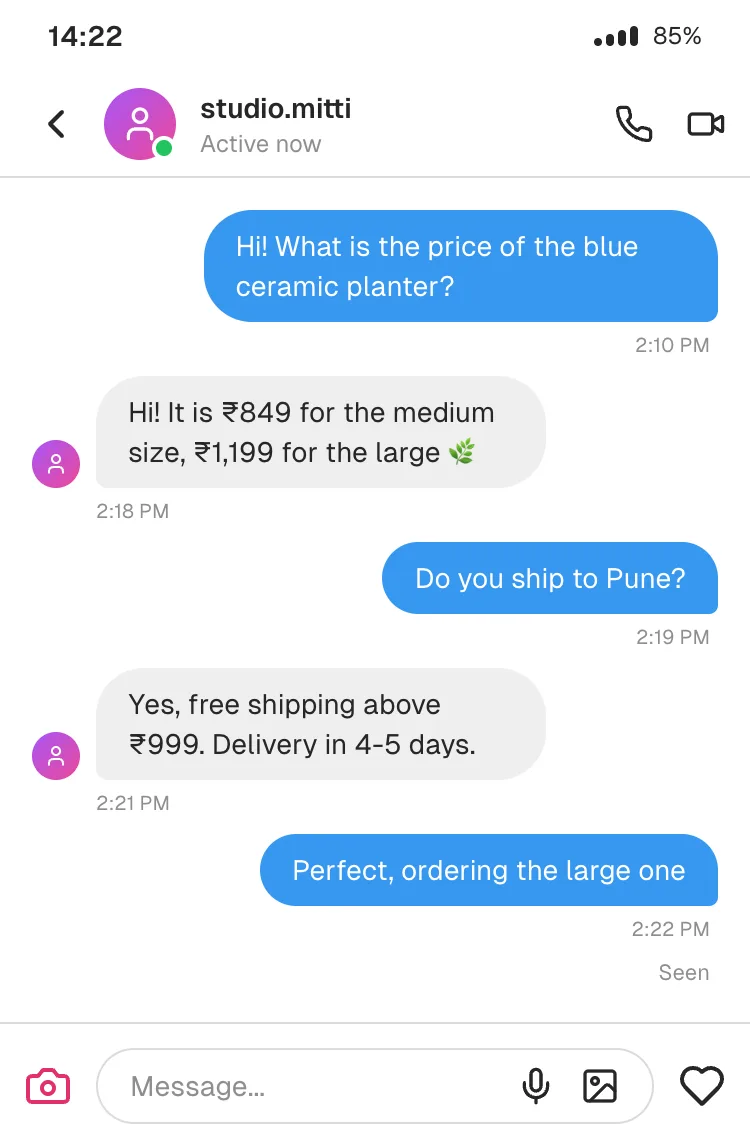
On Profiles, the "Other person" name is shown as the username at the top of the DM. Use a handle-style name (studio.mitti, not "Studio Mitti") so it reads like Instagram. Upload a profile photo with the camera button. Without one, you get the gradient placeholder.
Status options map to what Instagram shows:
- Online: Active now, with the green dot on the avatar.
- Typing...: the animated three-dot bubble at the bottom of the chat.
2. Write the DM thread
On Messages, add each bubble and set:
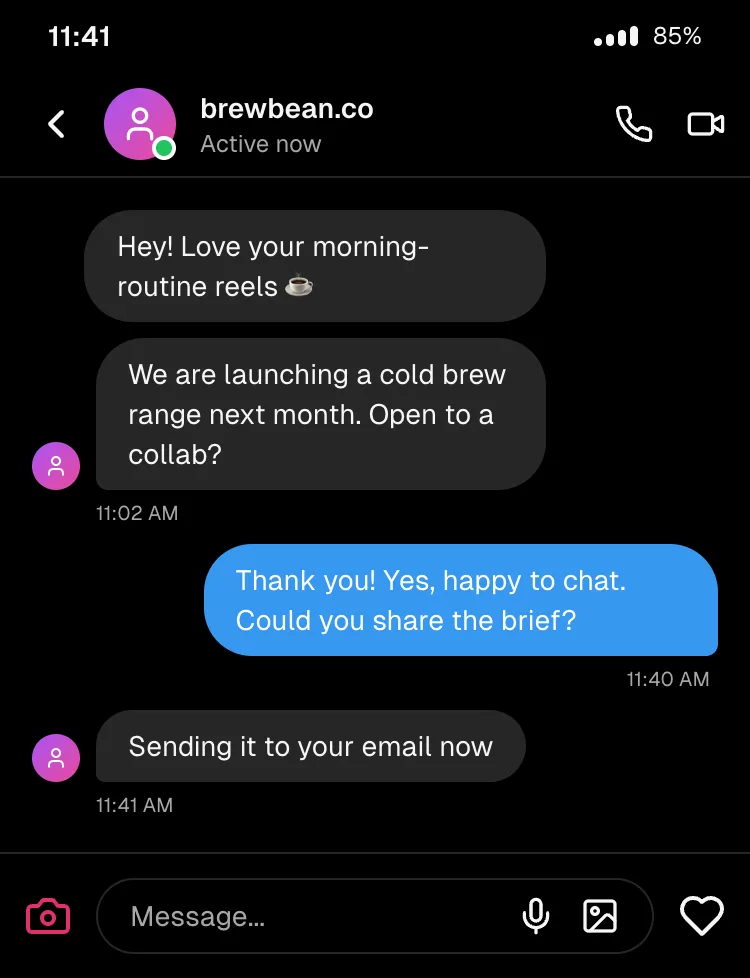
- Sender: You (blue, right) or Other (grey, left, with their small avatar next to the last message in a run).
- Time: the time appears under the last message of each run, like Instagram.
- Status: if your final message is Read, Seen appears under it. Delivered or Sent show those words instead.
3. Dark mode and frame
Instagram's dark mode is one toggle. For the look most Indian users see (dark mode on Android), use this link, which opens Instagram, dark, Pixel 7 directly.
4. Export
PNG at 2x is the safe default for posts. Turn Include phone frame off if you'll place the screenshot inside your own Canva or Figma layout.
Ideas That Work Well
- "DM for price" posts for small businesses: show how quickly you reply and ship. Use it as an illustration, not a fake customer, and label it (see below).
- Creator media kits: a mockup of how brand outreach works with you, with brand names blurred or invented.
- Brand pitch decks: show a DM-based customer journey (enquiry, price, order) on one slide.
- Memes and relatable content: the "left on Seen" format is a classic.
- UI and product design: mock up a DM feature or a chatbot reply flow for an Instagram automation.
Honest Limits
- One-to-one DMs only. No group DMs yet.
- Text only. No story replies, reels shared into the chat, photos, voice notes or reactions yet.
- No verified badge option at the moment.
A Note on Brand and Testimonial Posts
Showing an invented DM as if a real customer sent it is a fake testimonial. In India, the ASCI code and the CCPA's misleading-advertisement guidelines require endorsements to be genuine. In the US, the FTC now bans fake testimonials outright. If it's illustrative, say so ("illustrative conversation"). If it's a real customer, get their permission. More on the rules here.
Frequently Asked Questions
Can I make a fake Instagram DM without an account? Yes. The generator runs in your browser with no Instagram login and no signup.
How do I show "Seen"? Set your last message's status to Read, and Seen appears under it. Show read receipts in Advanced Settings must be on (it is by default).
Does it support Instagram dark mode? Yes. Toggle Dark on the Platform tab.
Can I add the blue verified tick? Not yet.
Is the screenshot watermarked? No, downloads are clean.
Make Your Instagram DM
Open the Instagram DM mockup →
Need a different app? There are ready-made chat screenshot templates for WhatsApp, iMessage, Messenger, Telegram and more.