Edesy Resume
ATS: goodTwo columns

Two-Column Sidebar Resume Template

Sidebar splits the page into two columns, with skills, languages and certifications on the left and your experience in the main column. It makes a long skills list easy to scan and uses horizontal space well. It works best when a person reads your resume directly, such as a referral, an email to a hiring manager or a printed copy at an interview.

Free: all templates, unlimited PDF and Word downloads, no watermark.
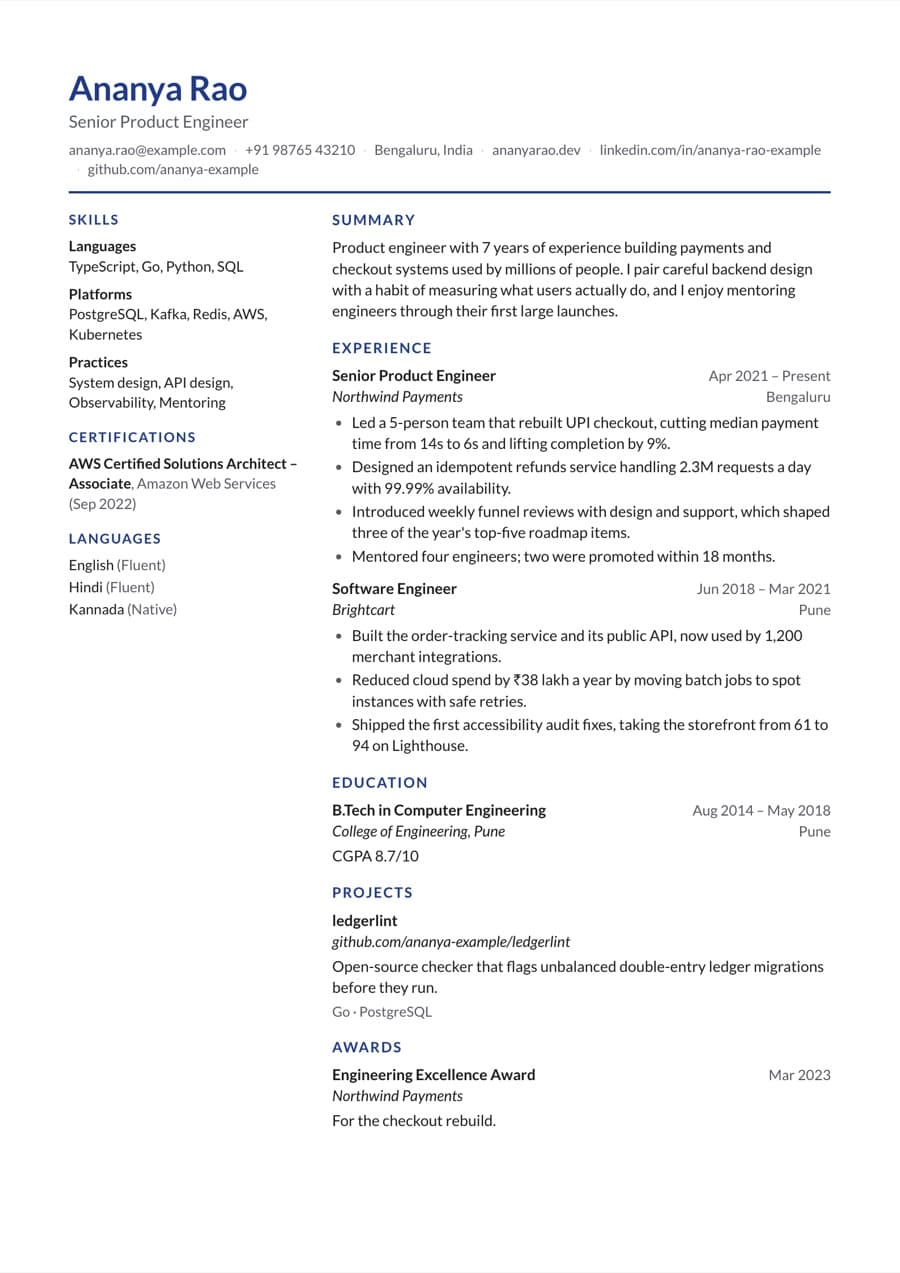
Sidebar resume template filled with an example resume

Preview with a fictional example resume.
Design details

  • Two columns: skills, languages and certifications in the left sidebar, everything else in the main column.
  • Lato by default with a navy accent (#1e3a8a).
  • Change to any of 10 fonts or 11 accent colors; spacing, margins and font size are adjustable.
  • Reorder sections by dragging, and choose A4 or US Letter page size.

Best for

  • Referrals and resumes emailed directly to a hiring manager
  • Printed copies to bring to interviews
  • Multilingual candidates who want languages visible at a glance
  • IT and technical roles with many tools and certifications
  • Customer service roles where languages matter

Consider another template if

  • Classic or Modern, when applying through job portals, where a single column parses cleanly in every ATS.
  • Compact, if you chose Sidebar mainly to fit more content; it keeps one column and tightens spacing instead.
  • Timeline, if what you want to highlight is career progression rather than skills.

Is the Sidebar template ATS-friendly?

Sidebar parses in applicant tracking systems, but because it has two columns some ATS can read the columns in a different order than intended. For portal applications where you cannot check how your resume is read, a single-column template such as Classic or Modern is the safer choice.

Tips for filling in the Sidebar template

  1. Keep a single-column copy for portal applications: duplicate the resume and switch the copy to Classic or Modern, which keeps all your content.
  2. Group skills under short headings such as Tools, Platforms and Practices so the narrow sidebar stays readable.
  3. List languages with a proficiency level, for example Hindi (native) or English (fluent), to use the sidebar well.
  4. Keep certification names short and standard so they do not wrap onto several lines in the narrow column.

Who the Sidebar template suits

Similar templates

Sidebar resume template FAQ

Build your resume with the Sidebar template

Import your old resume or start from an example, check your score, then download a PDF or Word file for free.