If your product talks to people through Slack, Teams or Discord (alerts, bot replies, approvals, community updates), your docs and landing pages need screenshots of it. Real screenshots are a pain. They show real colleagues' names and photos, internal channels and half-finished messages, and redacting them takes longer than taking them.
A chat mockup gives you a clean, on-brand, privacy-safe version in a few minutes.
Quick Answer
- Open the free Chat Mockup Generator (this link opens a Slack template).
- Switch the app on the Platform tab: Slack, Microsoft Teams or Discord.
- Name the other participant (e.g. your bot or a sample teammate) and add the messages.
- Choose light or dark theme, turn the phone frame off for docs, and export PNG at 2x.
What Each App's Mockup Shows
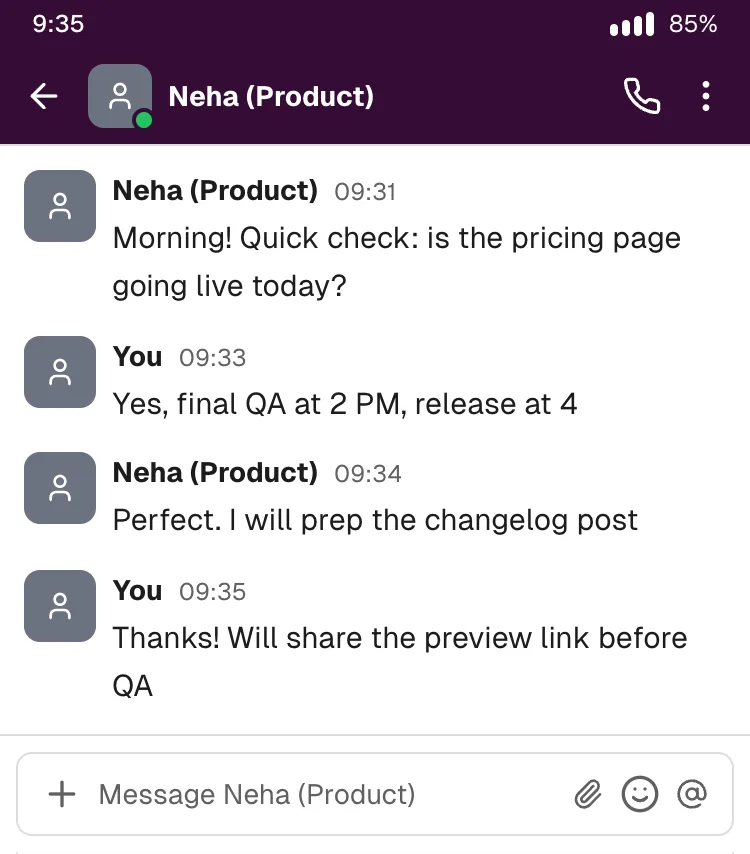
- Slack: a direct-message view with the aubergine header, avatars, bold sender names with times, and the Message [name] composer. Consecutive messages from the same person within five minutes are grouped under one name, as in Slack.
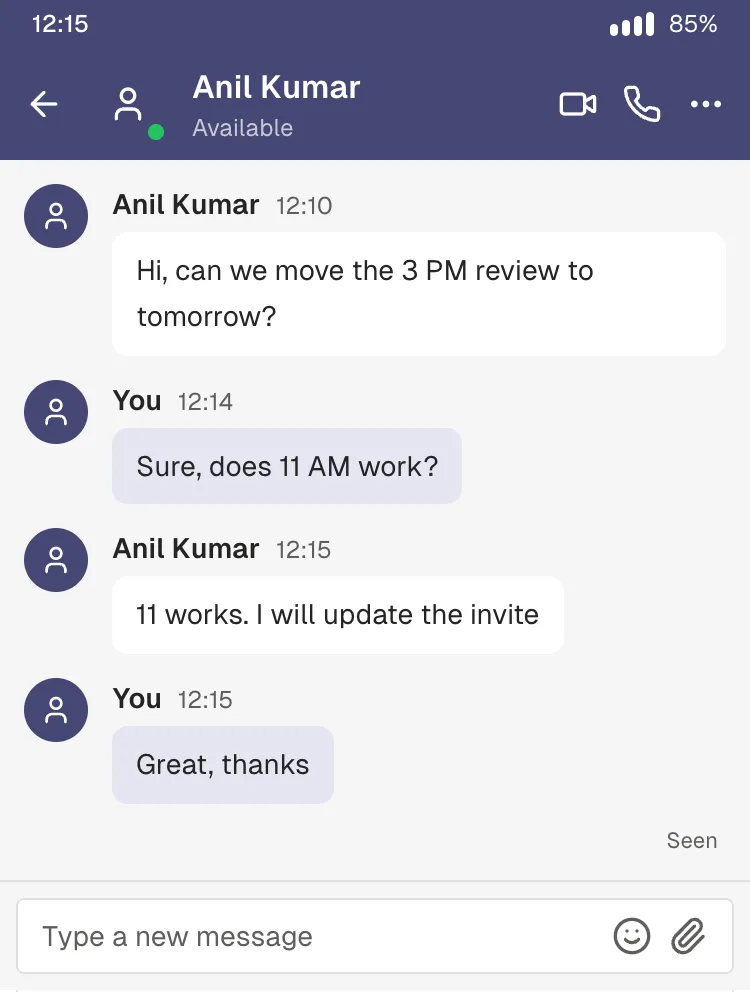
- Microsoft Teams: the purple header with Available status, messages grouped by sender with names and times, and Seen under your last message.
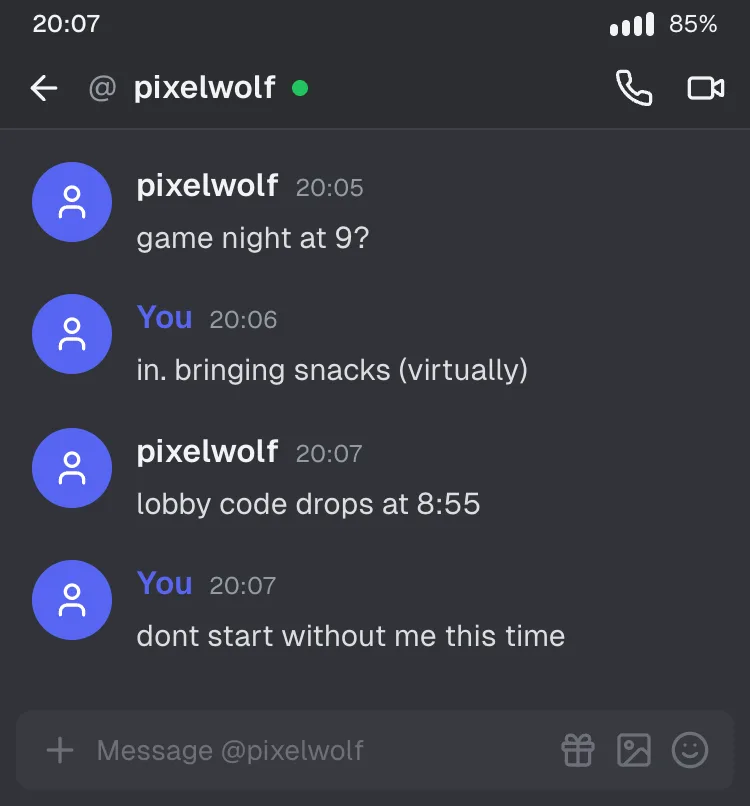
- Discord: a DM (
@username) in Discord's default dark theme, coloured sender names, and the Message @username composer.
All three are one-to-one conversations. Channels, threads, bot "APP" badges, message buttons and reactions aren't drawn yet (more on workarounds below).
Where These Mockups Are Useful
- Integration docs: "When a lead comes in, our bot posts this to your team". Show the exact message format.
- Landing pages: a hero visual of your alert or approval flow in the app your buyers already use.
- Onboarding guides: screenshots that never go out of date because a colleague left or the UI shifted.
- Changelogs and launch posts: "Now available in Teams" with a clean example.
- Community guidelines for Discord servers: good and bad example messages.
- Internal training: how to write a good stand-up update or escalation message.
Tips for Product Screenshots That Look Professional
- Name the bot like your product. Set the other participant to "Acme Alerts" or "Acme Bot" and upload your logo as its profile photo.
- Show realistic data, not lorem ipsum. "New lead: Priya S., Pune, ₹45,000 budget" sells the integration. "Lorem ipsum dolor" sells nothing.
- Keep it to 3-5 messages. One trigger, one bot message, one human reaction is usually the whole story.
- Match the buyer's theme. Developer tools often look better in dark mode. Enterprise buyers mostly see Teams in light mode.
- Export without the phone frame. Slack and Teams are mostly used on desktop, so a frameless screen fits docs better. Use 2x scale for retina-sharp text.
- Use one mockup style across your docs. Consistent names, avatars and times make a docs site feel maintained.
Workarounds for What's Not Supported
- Bot buttons ("Approve" / "Reject"): write the options as text in the bot message (Reply 1 to approve, 2 to reject), or add the buttons in Figma on top of the exported image.
- Channels and threads: show the key message in a DM mockup, and describe the channel in the caption.
- Multiple people: not supported yet. For now, keep examples to the bot and one person.
Privacy: Why Mockups Beat Real Screenshots
Real workspace screenshots leak more than people expect: colleague names and photos, customer names in channel lists, internal project names, even unread counts that hint at activity. A mockup contains only what you typed, and the tool runs in your browser, so nothing you type is uploaded.
Frequently Asked Questions
Can I make a fake Slack message screenshot? Yes. Choose Slack in the Chat Mockup Generator, set the names and messages, and download a PNG.
Does it support Microsoft Teams dark mode? Yes. Teams, Slack and Discord all have light and dark themes in the tool.
Can I show a Slack channel instead of a DM? Not yet. The Slack mockup shows a direct-message conversation.
Can I use my company logo as the avatar? Yes. Upload any image as the profile photo on the Profiles tab.
Is it free for commercial docs? Yes. It's free with no watermark. Don't imply that Slack, Microsoft or Discord endorse your product.
Build Your Mockup
Open the Slack template → · Teams template · Discord template
Mocking up customer-facing WhatsApp flows instead? See how to mock up a WhatsApp chatbot conversation for a pitch deck.