Text-story videos are simple: a phone screen, a conversation that appears one message at a time, a twist at the end, and a trending sound underneath. They work because the viewer reads the story themselves, and has to keep watching to find out what the next bubble says.
You don't need a special app to make them. This guide shows a free workflow: script → chat frames → video.
Quick Answer
- Write a 6-10 message script with a hook in the first bubble and a twist in the last.
- Build the chat in the free Chat Mockup Generator (the link opens a ready-made story).
- Export one image per step: download the full chat, delete the last message, download again, and repeat.
- Import the frames into a video editor (CapCut, InShot, Canva or similar) in order, about 1.5-3 seconds each.
- Add sound, a message "pop" effect, and captions if needed, then export at 1080×1920.
Step 1 — Write a Script That Holds Attention
The formula that works:
- Message 1 is the hook. It should raise a question immediately. "I left the spare key under the plant pot. Don't tell anyone." Who is this? Why would they say that?
- Messages 2 to N-1 escalate. Each reply adds a bit of confusion, tension or comedy.
- The last message is the twist. It re-frames everything above it. "Then why is there a light on in your window?"
- Keep bubbles short. Viewers read on a small screen in 2 seconds. One idea per bubble.
- 6-10 messages is the sweet spot for a 20-30 second video.
Step 2 — Build the Chat
Open the story template or start blank:
- App: iMessage and WhatsApp are the most recognisable. Dark mode looks better on video.
- Contact name: part of the story. "Unknown", "Mom", "Ex", "Boss" or an unsaved number all set the tone before the first message.
- Times: space them out to build suspense. Two minutes between "Who is this?" and the reply says more than an instant answer.
- Frame: turn it off for video. Your editor will place the screen on a background, and a phone frame inside a phone screen looks odd.
Step 3 — Export One Frame per Message
The tool exports still images, not video, so you make the "reveal" out of frames. The quickest way is to work backwards:
- With the full conversation built, download it. That's your last frame.
- On the Messages tab, delete the last message and download again. That's the second-to-last frame.
- Repeat until one message is left.
Name the files in order (01, 02, 03...) so they import in sequence.
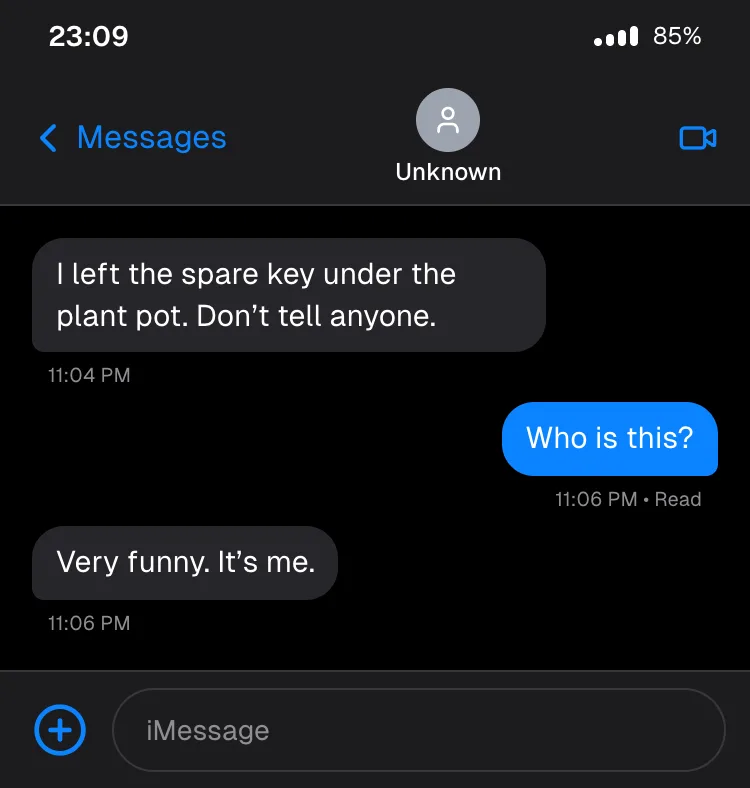
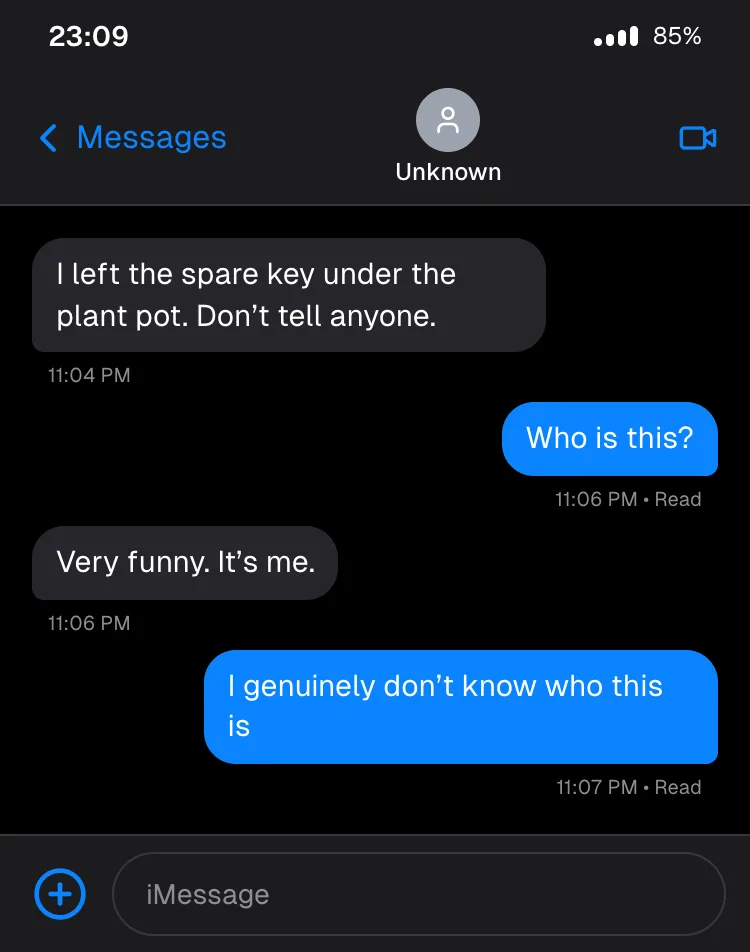
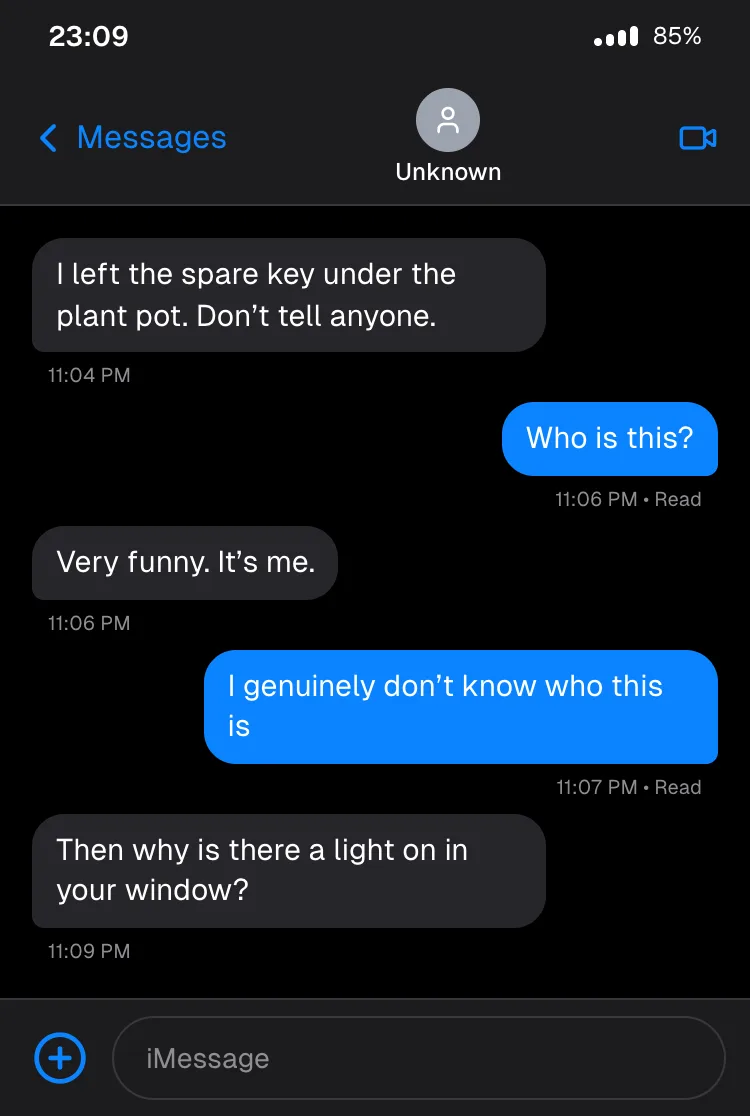
Tip: export at 3x resolution. The screen is about 1,125 px wide, which stays sharp when your editor scales it up for a 1080×1920 video.
Step 4 — Edit the Video
Any free vertical-video editor works. The steps are the same everywhere:
- Create a 9:16 project (1080×1920).
- Import the frames in order. Give the hook frame 2-3 seconds, the middle frames 1.5-2 seconds each, and hold the twist for 3 seconds or more.
- Place the frames on a blurred or solid background, slightly smaller than full width, so the chat reads as a phone screen.
- Add a short "message pop" sound effect at each cut, plus a background track (use your platform's licensed music library).
- Optional: a zoom-in on the final bubble for the twist.
- Export at 1080×1920 and upload.
Make It Perform
- Front-load the hook. Viewers decide in the first second whether to keep watching. The first bubble must be readable instantly.
- Don't cut too fast. If people can't read a bubble before the next one appears, they rewatch or scroll away. Test by watching it yourself once at normal speed.
- Series beat one-offs. "Part 2" endings and recurring characters bring viewers back.
- Make it obviously a story. Label it (#textstory, "fiction", or a clear comedic setup). Content that looks like leaked real conversations of real people can get you reported, or worse.
What Not to Do
Don't put real people's names, numbers or photos in a story they didn't agree to, and don't present an invented chat as a real conversation someone had. That's impersonation or defamation territory, not content. Keep the characters fictional.
Frequently Asked Questions
Can the tool export a video directly? No. It exports images (PNG, JPEG or WebP). You build the "typing" reveal by exporting one frame per message and cutting them together in a video editor.
Which chat app looks best for text stories? iMessage in dark mode is the most common, with WhatsApp close behind. Both are in the generator.
How long should a text story video be? Around 20-40 seconds for Reels and Shorts: 6-10 messages at 1.5-3 seconds each, plus a hold on the twist.
Can I show the "typing..." bubble? Yes. Set the other person's status to Typing... on the Profiles tab, and a typing bubble appears at the bottom of the chat (on iMessage, WhatsApp shows it in the header). Export that as an extra frame just before the reply appears.
Is it free? Yes. No signup, no watermark, unlimited downloads.
Start Your First Story
Browse more starting points in 13 chat screenshot templates, or see how the iMessage screen works in detail in how to make a fake iMessage conversation.