Multiple Avatars
You can decide to change the host avatar dynamically so that your bot can display multiple avatars. This is useful for scenarios where different characters or personas guide the user through different parts of the conversation.

Setting Up Dynamic Avatars
Step 1: Configure Theme Settings
Head over to the "Theme" tab and set the host avatar to a variable URL:
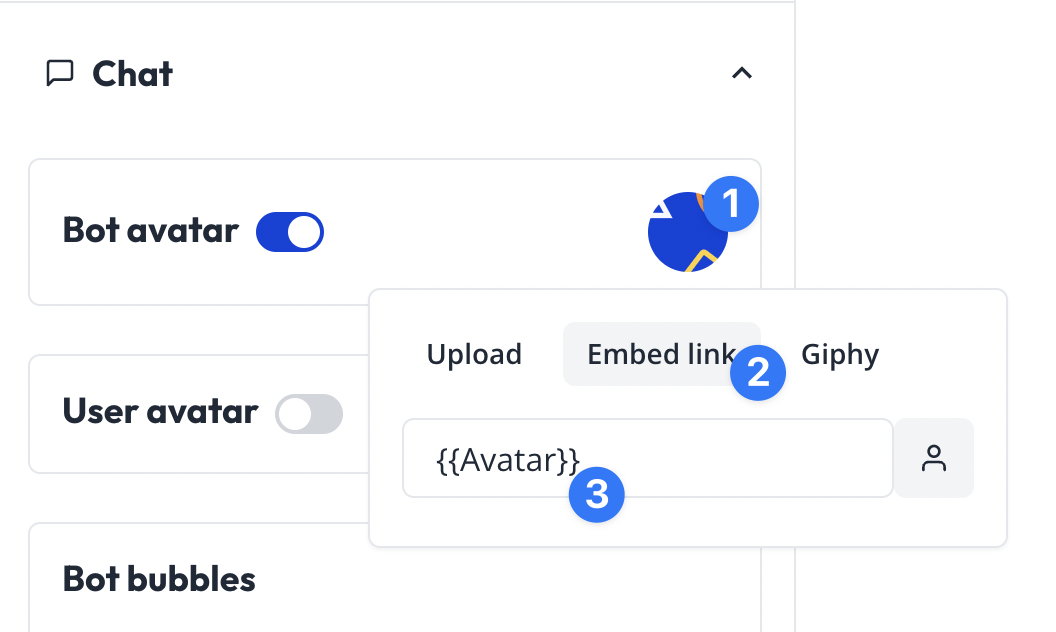
Step 2: Set the Variable in Your Flow
Then you can set this variable to any URL in your flow so that the host avatar changes dynamically.
Example Flow
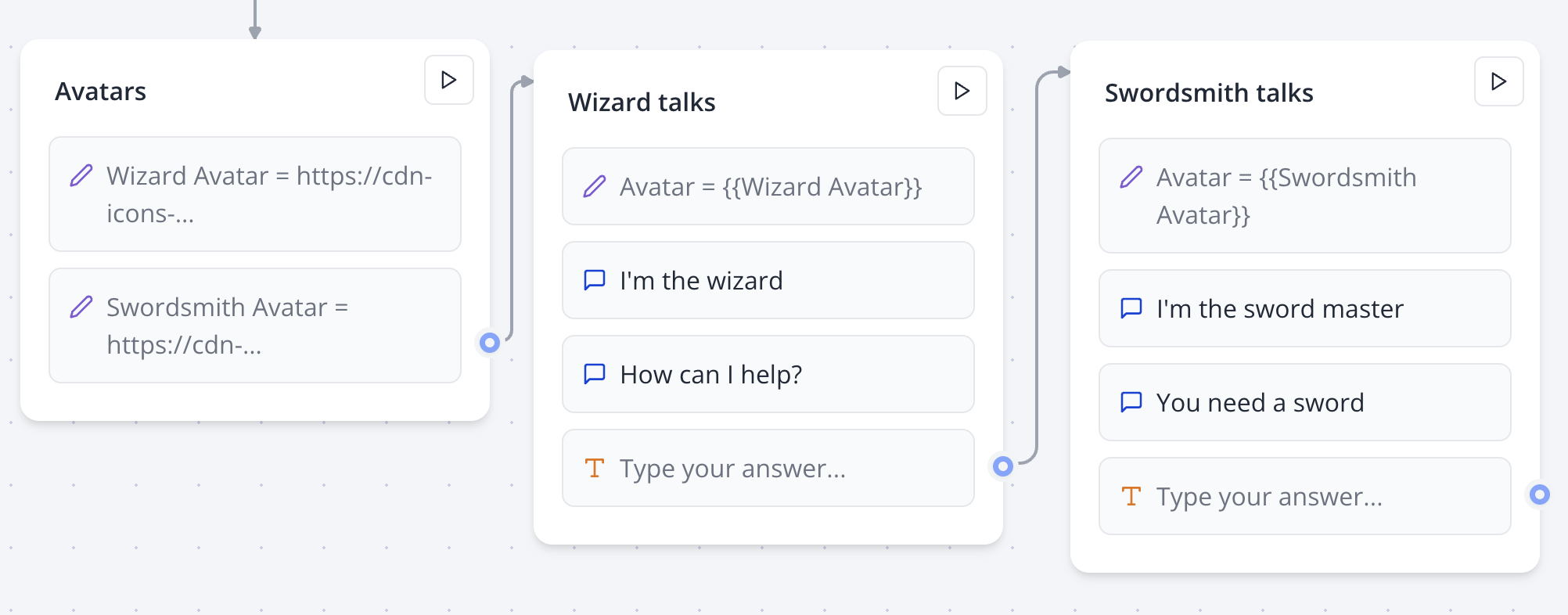
The example flow works as follows:
- First block: Defines all the avatars that can be displayed
- Second block: Starts by setting the avatar to the wizard avatar
- Final block: Starts by setting the swordsmith avatar
This creates a seamless transition between different characters as the user progresses through the conversation.
Use Cases
- Customer support: Different agents for different topics
- Interactive stories: Multiple characters in a narrative
- Educational bots: Different instructors for different subjects
- Games: Various NPCs interacting with the user