Eedesy
Book Demo
HomeProductsContact
Email Platform
  • Introduction
  • Quick Start
  • Overview
  • Create Campaign
  • Design
  • Launch
  • Templates
  • Overview
  • Journey Types
  • Journey Data
  • Welcome Flow
  • Weekly Summary
  • Reservations
  • Recurring Reminders
  • Lists
  • Users
  • Overview
  • Providers
  • API Keys
  • Subscriptions
  • Overview
  • SendGrid
  • Mailgun
  • Amazon SES
  • SMTP
  • Twilio
  • Plivo
  • Vonage
  • Segment
  • PostHog
  • Push Notifications
  • Android SDK
  • iOS SDK
  • Overview
  • AWS EC2
  • AWS Elastic Beanstalk
  • DigitalOcean
  • Authentication
  • Keycloak Integration
  • Keycloak vs Basic Auth
  • Storage
  • Configuration
  • Deep Linking
  • Admin API
  • Client API

Related Products

  • AI Voice Agent
  • AI Voice Assistant
  • Try Free
Email Platform
  • Introduction
  • Quick Start
  • Overview
  • Create Campaign
  • Design
  • Launch
  • Templates
  • Overview
  • Journey Types
  • Journey Data
  • Welcome Flow
  • Weekly Summary
  • Reservations
  • Recurring Reminders
  • Lists
  • Users
  • Overview
  • Providers
  • API Keys
  • Subscriptions
  • Overview
  • SendGrid
  • Mailgun
  • Amazon SES
  • SMTP
  • Twilio
  • Plivo
  • Vonage
  • Segment
  • PostHog
  • Push Notifications
  • Android SDK
  • iOS SDK
  • Overview
  • AWS EC2
  • AWS Elastic Beanstalk
  • DigitalOcean
  • Authentication
  • Keycloak Integration
  • Keycloak vs Basic Auth
  • Storage
  • Configuration
  • Deep Linking
  • Admin API
  • Client API
  1. Docs
  2. Email Platform
  3. Campaigns
  4. Design

Design

Learn how to design and customize your email campaigns in Edesy Email.

Design a Campaign

Each campaign is made up of a series of templates, each representing a given locale (language). After your campaign has been created, you can navigate to the Design tab to get started and create a template.
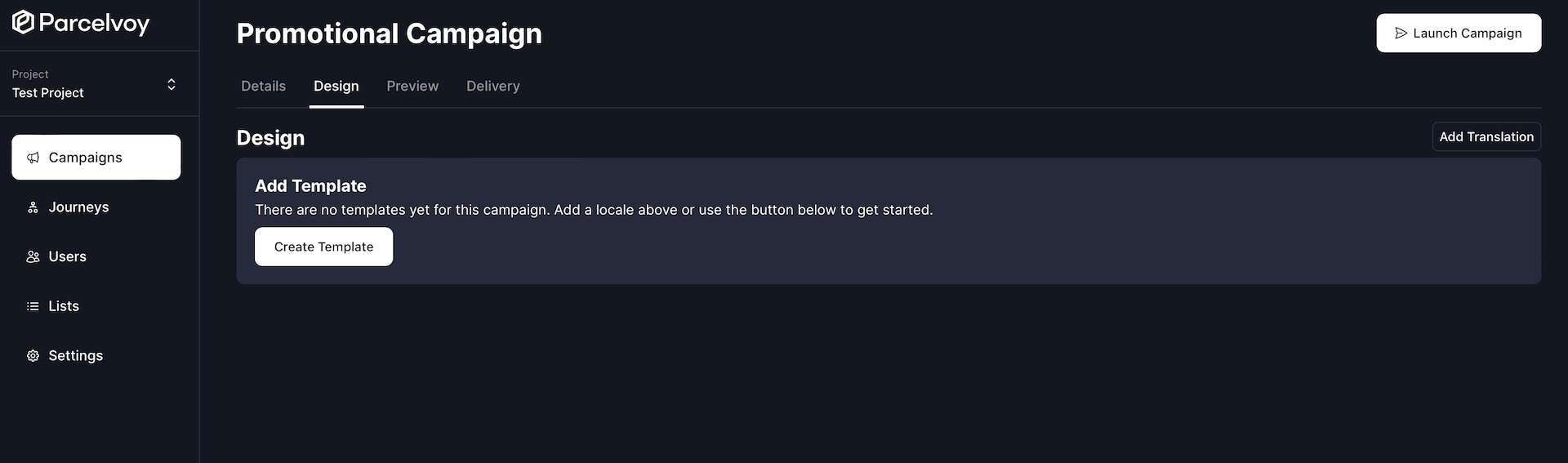
Design Campaign

Create Template

Selecting Create Template will open a modal with various options depending on the channel of the campaign, but all of them require selecting a locale. If you dont have any already, create one, otherwise pick the locale you are targeting from the list!
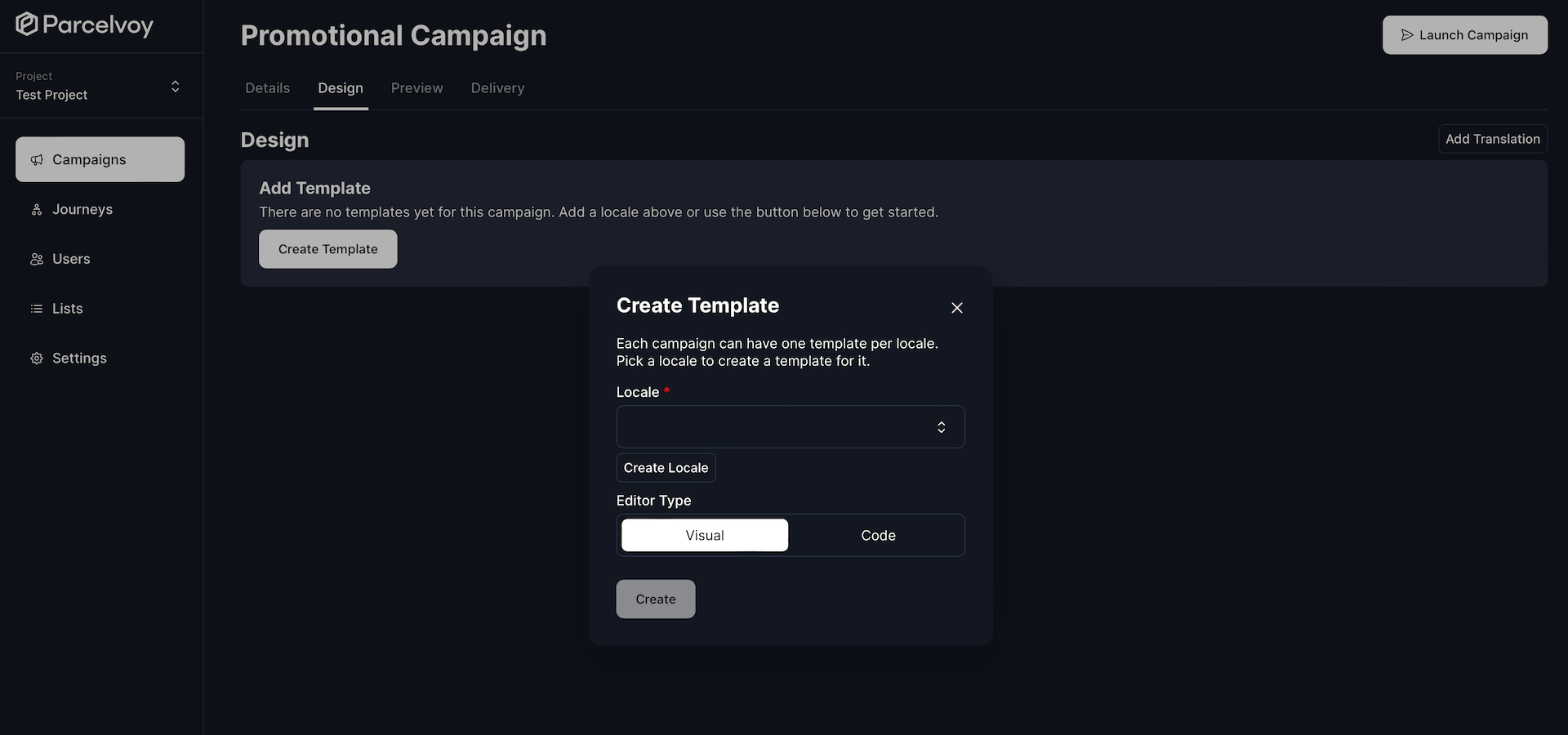
Design Campaign Modal

Locales

A locale is a set of parameters that defines the user's language, region and any special variant. They can be anything from as broad a category as a language at large (es for Spanish) to as specific as a dialect (en_PH for English from the Philippines).

Design

Once you have created a template you can begin designing it! Each channel that a campaign can be sent over has different editors that can be used to customize what you are sending.

Email

You have by far the most customizeability when sending emails. You are able to adjust the entire design to be anything you would like. There are two different options for designing emails and the editor will vary based on your selection.

Visual

The visual editor provides you with a drag-and-drop interface for crafting emails without having to write any code. On the right hand side you are provided with different basic building blocks which you can drag in. Each block can then be customized to have specific styles or layouts.
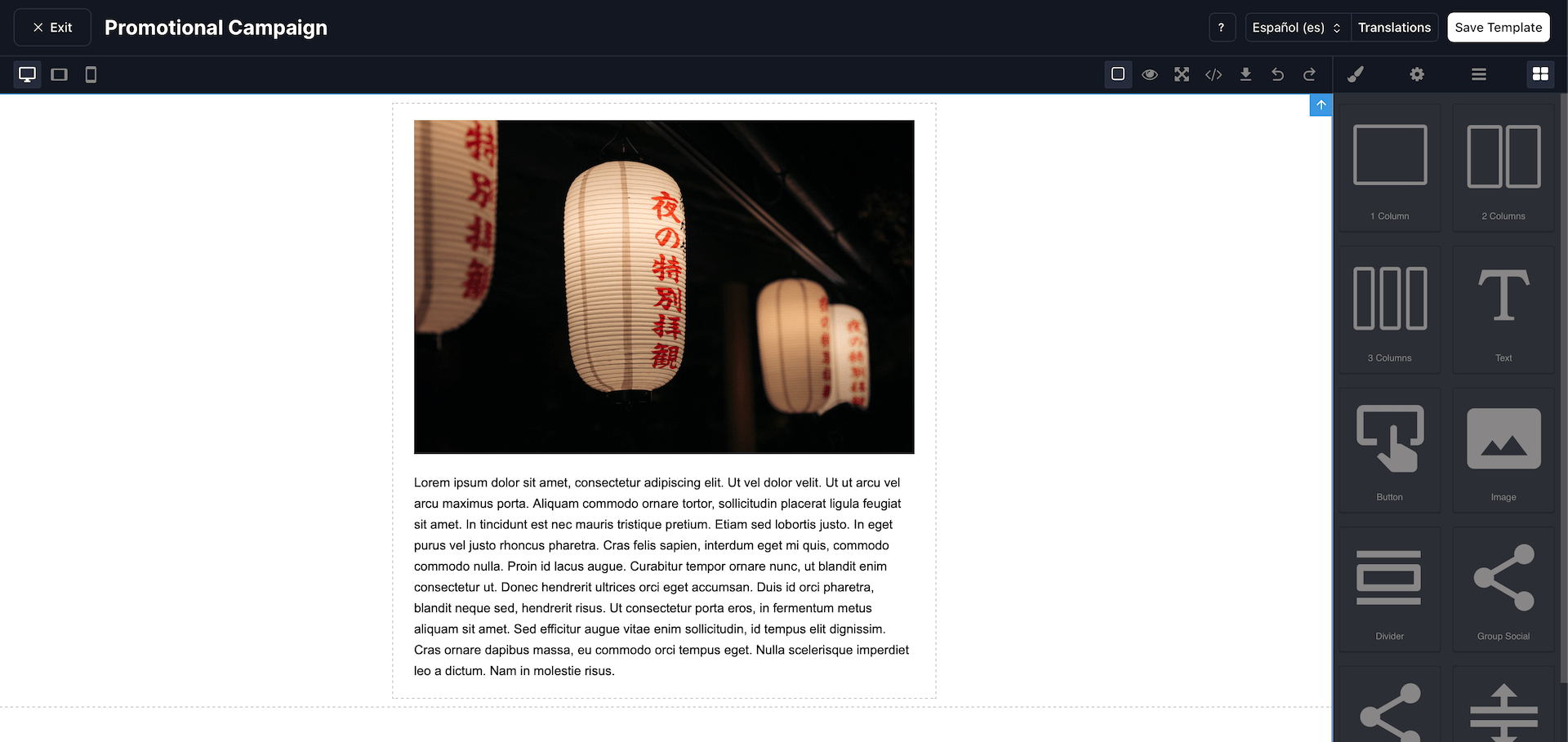
Design Campaign Visual

Code

If you select to code the email yourself, you are given a code editor window that you can use. This editor allows for many of the conveniences of modern code editors like code suggestions and collapsing. You are also able to import uploaded images directly. Handlebars templating can be used throughout to autopopulate data directly from the user.
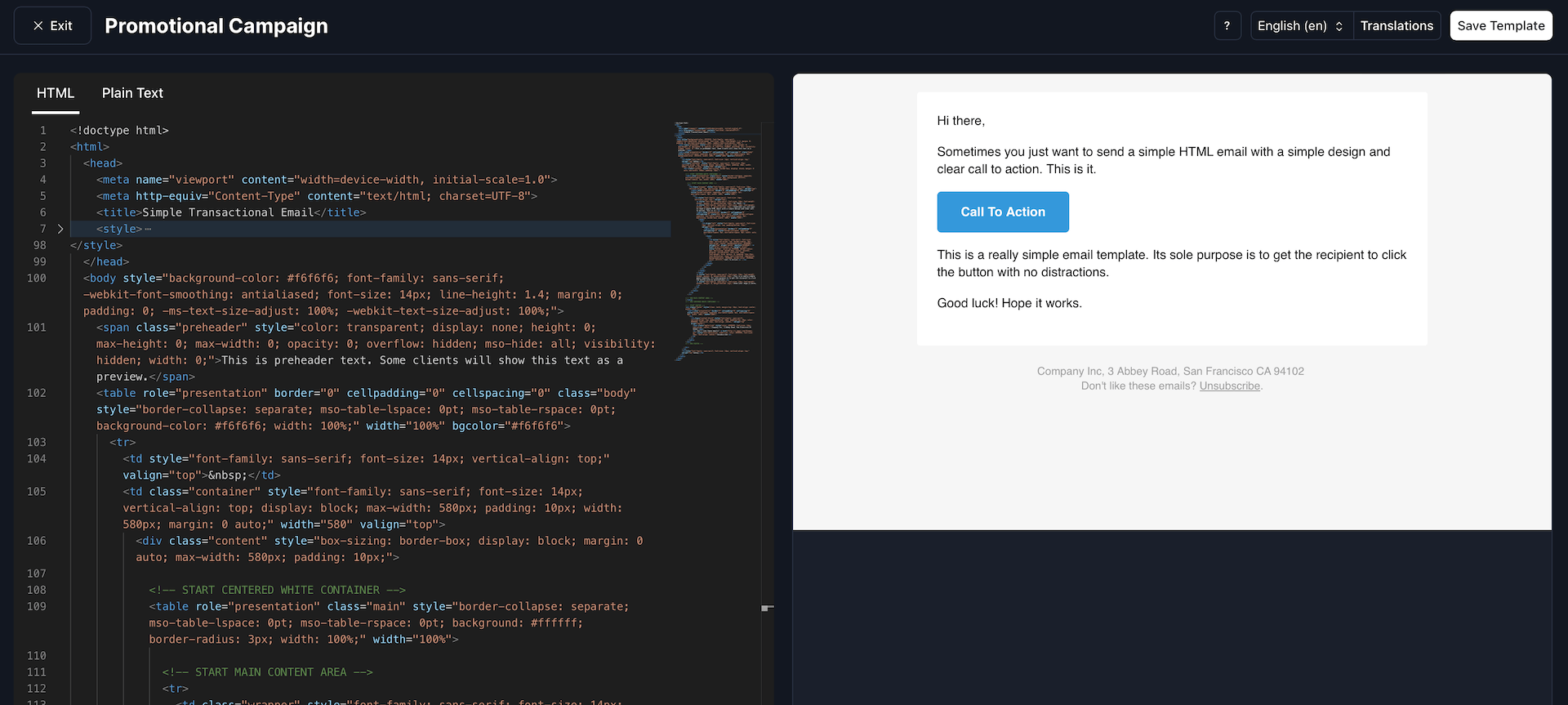
Design Campaign Code

Text

There is no customizeability available for text messages, the only thing you can configure is the body. The provided field accepted Handlebars so you can include user attributes as desired. To edit the body of the text, just hit the Edit button in the left hand column.

By default, the render of the message shows you what it would look like inside of a phone.
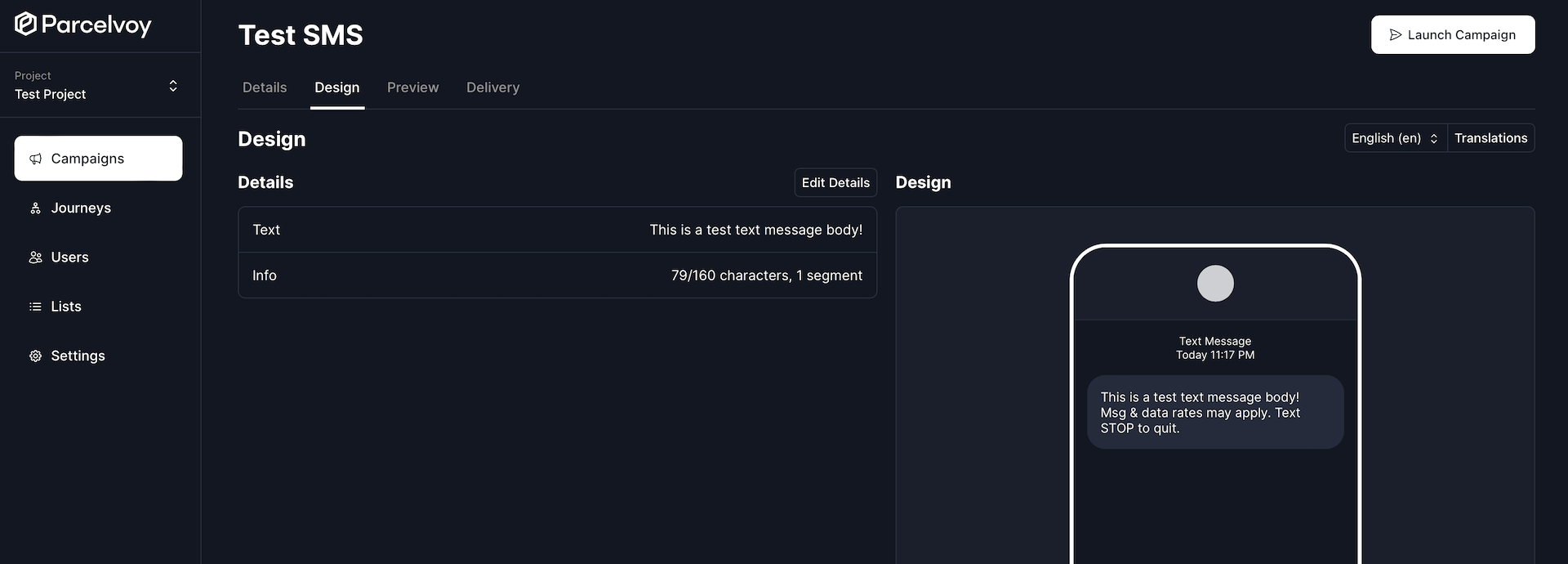
Design Campaign Text

Opt Out

Carriers typically require you to send opt out verbiage to a user so they know how they can stop receiving messages. Edesy Email handles users unsubscribing from receiving text messages automatically for you if you've appropriately configured your provider.

The opt out verbiage can be configured under project settings and will only be sent included in the very first text message you send to a user. Subsequent messages will not include it.

Push Notification

Push notification vary in design OS by OS and phone by phone. Every design however contains the same two basic building blocks: title and body.

All fields availabe on push notifications allow for Handlebars templating.

The deeplink field will cause the app to automatically navigate to that URL when a user opens the push notification.

If you want to pass custom information down to your application so that you can process it, you can utilize the Raw JSON field.
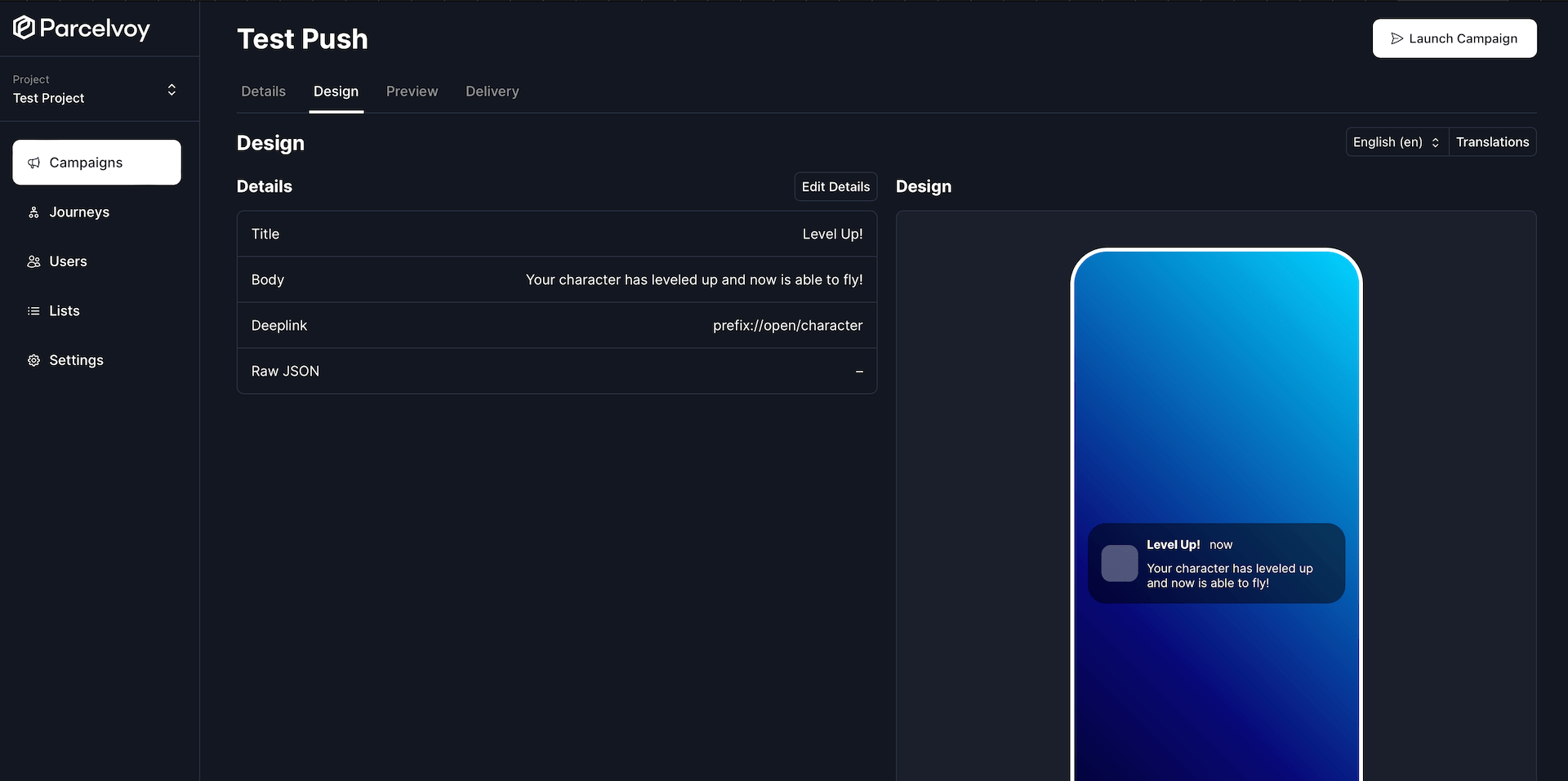
Design Campaign Push

Previous
Create Campaign
Next
Launch

On this page

  • Create Template
  • Locales
  • Design
  • Email
  • Visual
  • Code
  • Text
  • Opt Out
  • Push Notification

Stay Updated

Get the latest updates on AI voice technology, product releases, and exclusive resources.

Get Started

Try our products for free
AI Voice Agent
Build voice AI for calls
WhatsApp AI Bot
Automate WhatsApp chats
Website Chatbot
AI chat for websites
Edesy CRM
Manage leads & customers
Book a DemoCall UsEmail Us
Eedesy

Your all-in-one platform for digital innovation. We build AI-powered solutions that transform how businesses operate.

[email protected]+91 95475 31359

Products

  • AI Voice Assistant
  • WhatsApp Voice AI
  • WhatsApp Bot Builder
  • AI Website Chatbot
  • AI-SDR
  • Number Masking
  • Shopify Apps
  • View All Products

Solutions

  • For E-commerce
  • For Healthcare
  • For Real Estate
  • For Restaurants
  • For Appointments
  • View All Use Cases

Services

  • AI Chatbot Development
  • Voice AI Development
  • Shopify Development
  • SaaS Development
  • WhatsApp API Integration
  • View All Services

Resources

  • Documentation
  • Voice Agent Docs
  • API Reference
  • Number Masking API Docs
  • Blog
  • Changelog
  • Book a Demo

Company

  • About Us
  • Contact
  • Careers
  • Privacy Policy
  • Terms of Service

Products

  • AI Voice Assistant
  • WhatsApp Voice AI
  • WhatsApp Bot Builder
  • AI Website Chatbot
  • AI-SDR
  • Number Masking
  • Shopify Apps
  • View All Products

Solutions

  • For E-commerce
  • For Healthcare
  • For Real Estate
  • For Restaurants
  • For Appointments
  • View All Use Cases

Services

  • AI Chatbot Development
  • Voice AI Development
  • Shopify Development
  • SaaS Development
  • WhatsApp API Integration
  • View All Services

Resources

  • Documentation
  • Voice Agent Docs
  • API Reference
  • Number Masking API Docs
  • Blog
  • Changelog
  • Book a Demo

Company

  • About Us
  • Contact
  • Careers
  • Privacy Policy
  • Terms of Service
  • AI Voice Assistant
  • WhatsApp Voice AI
  • WhatsApp Bot Builder
  • AI Website Chatbot
  • AI-SDR
  • Number Masking
  • Shopify Apps
  • View All Products
  • For E-commerce
  • For Healthcare
  • For Real Estate
  • For Restaurants
  • For Appointments
  • View All Use Cases
  • AI Chatbot Development
  • Voice AI Development
  • Shopify Development
  • SaaS Development
  • WhatsApp API Integration
  • View All Services
  • Documentation
  • Voice Agent Docs
  • API Reference
  • Number Masking API Docs
  • Blog
  • Changelog
  • Book a Demo
  • About Us
  • Contact
  • Careers
  • Privacy Policy
  • Terms of Service

Popular Free Tools

Compress PDFMerge PDFPDF to WordGST CalculatorEMI CalculatorSIP CalculatorJSON FormatterBase64 EncoderImage CompressorQR Code GeneratorVoice AI ROI CalculatorAmazon FBA CalculatorAI Email WriterVideo to GIFPrivacy Policy GeneratorCRM ROI CalculatorMeeting Cost Calculator
Categories:PDF ToolsDeveloper ToolsFinance CalculatorsImage ToolsVideo ToolsAI Writing ToolsAudio ToolsWhatsApp ToolsDocument GeneratorsVoice AI ToolsE-commerce ToolsView All Tools

© 2026 Edesy Technology Labs Pvt Ltd

SSL Secured
99.9% Uptime